
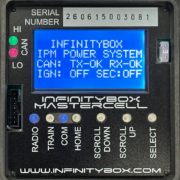
Under the Cover of the MASTERCELL NGX
The MASTERCELL NGX represents the latest generation technology for our Infinitybox system. It builds on almost 20 years of history, experience and lessons learned from our customers. In this blog post, we want to walk through the specifics of what is under the cover of the MASTERCELL NGX. Please note that the MASTERCELL NGX is included with our Next Generation Kit. If you have one of our Legacy 3-Cell Kits or 20-Circuit Kits, contact our technical support team for details.
We always tell people to think about the MASTERCELL as the brain of our system. It connects to the switches in your car and sends commands to the POWERCELLs, inMOTION NGX Cells, inVIEW Cells and any other peripheral in your Infinitybox network. It also includes our simple but powerful diagnostic tools to help you troubleshoot any issues in your car’s electrical system quickly, with no additional tools.
You can download the entire MASTERCELL NGX inSIGHT document by clicking this link. This includes all the features and functions.
The following picture shows you the key features under the cover of the MASTERCELL NGX.
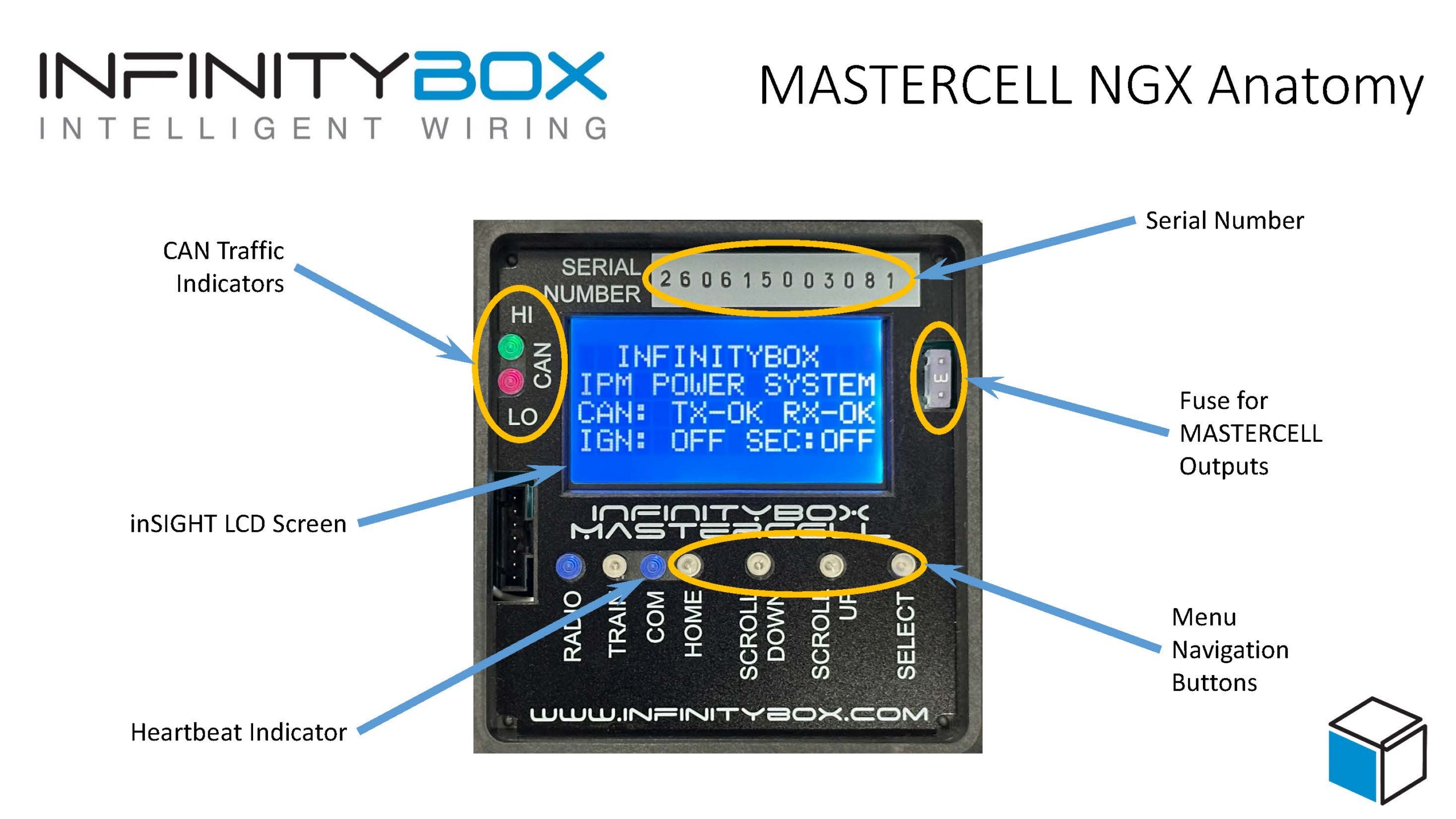
MASTERCELL NGX anatomy, with callouts identifying each feature under the cover.
You can download a PDF copy of the picture of what’s under the cover of the MASTERCELL by clicking this link.
The inSIGHT LCD Screen
The most prominent feature under the cover of the MASTERCELL is the inSIGHT LCD screen. This is your window into your Infinitybox system. It allows you to see how the system is operating, check system status, troubleshoot, diagnose and set up key features. The inSIGHT screen has a bright backlight that lets you read it in any lighting condition. This backlight automatically turns off to minimize the amount of current the system draws from the battery.
Menu Navigation Buttons
Below the inSIGHT screen are the Menu Navigation Buttons. These let you access and navigate through the menus on the inSIGHT screen. The HOME button takes you to the HOME screen. The SCROLL UP and SCROLL DOWN buttons let you navigate through the menu options. The SELECT button picks the specific option that you want.
The Heartbeat and CAN Traffic Lights
The next important feature under the cover of the MASTERCELL NGX is the blue COM light. This is the heartbeat of the system. It should flash about once per second to indicate that the MASTERCELL is awake and is sending commands out on the Infinitybox network.
Related to the heartbeat light, there are two indicators that show that there is traffic on the CAN network. These are the red CAN LO and green CAN HI lights. They will flash periodically. Please note that the CAN LO LED is red and it will flash. This does not mean that there are problems with the system. It indicates that the network is active.
There is another LED labeled Radio and a button labeled TRAIN. These are for future functions and are not presently used.
The Fuse for the MASTERCELL Outputs
The MASTERCELL NGX has 6 low-current outputs that are used to power indicator lights on your dashboard. For safety, these outputs are fused. There is a 3-amp MINI fuse located under the cover of the MASTERCELL. If you have problems with our indicator outputs, check this fuse. You should never put a fuse in the MASTERCELL with a rating higher than 3 amps.
The Serial Number
Lastly, each MASTERCELL has a unique serial number. If you are ever calling our team looking for help, please have this serial number available. We carefully track each system by its serial number so we know its history and software changes.
Examples of inSIGHT Screen Functions
- Check the software version of your MASTERCELL
- Select the Configuration for your IPM1 Kit
- Set up and configure inRESERVE
- Check the states of your switches
- Check the cells attached to your CAN network
- See what is going on with the cells on your network
- Enter Messaging Mode for advanced troubleshooting
You can download the entire MASTERCELL NGX inSIGHT document by clicking this link. This includes all the features and functions.
We’re releasing a series of blog posts that will walk you through the setup and diagnostic functions on the inSIGHT screen. Stay tuned for more. If you have any questions, call our team at (847) 232-1991 or fill out our contact form at this link.