
 Copyright 2026 Infinitybox, LLC. All Rights Reserved.
 CAN Control of inVIEW
Three Ways to Control inVIEW From Your Infinitybox System
The inVIEW Wiper Control Module is a full member of the Infinitybox ecosystem. When it’s part of your system, inVIEW receives its commands over the Infinitybox CAN network — the same network that ties the rest of your Infinitybox components together. That means you can operate your wipers from any of the control interfaces in your system, and it all works over a single pair of network wires.
To get inVIEW talking on the network, you’ll connect CAN HI and CAN LO to the Infinitybox CAN bus. Be sure to follow the instructions in your inVIEW manual to make these connections correctly. Once inVIEW is on the network, you have three different ways to control it.
Control With Switches Wired to Your MASTERCELL
If you’re running physical switches in your build, you can wire them to the inputs on your MASTERCELL and use them to operate inVIEW. This lets you keep the tactile feel of real switches — whether that’s a factory stalk, billet buttons, or toggles on a custom panel — while inVIEW handles all the wiper logic behind the scenes. Because your switches only need to trigger a MASTERCELL input, you can leave the big, clunky factory wiper control switches behind and use whatever clean, compact switch fits your build.
You can assign your MASTERCELL inputs to any of the inVIEW functions, including low, high, intermittent and washer.
To assign your MASTERCELL inputs to the inVIEW functions, reference the inCODE NGX instructions. inCODE NGX walks you through mapping each input to the wiper function you want it to control.
Control From the inTOUCH Screens on inLINK NGX
If your system includes inLINK NGX, you can control inVIEW directly from the inTOUCH screens. The Wiper Control screen puts every function right at your fingertips on the display. And because inTOUCH runs over your inLINK network, you can pull it up on any smartphone, tablet, or other WiFi-enabled touchscreen that connects to inLINK — giving you wiper control from whatever device is already in your hand.
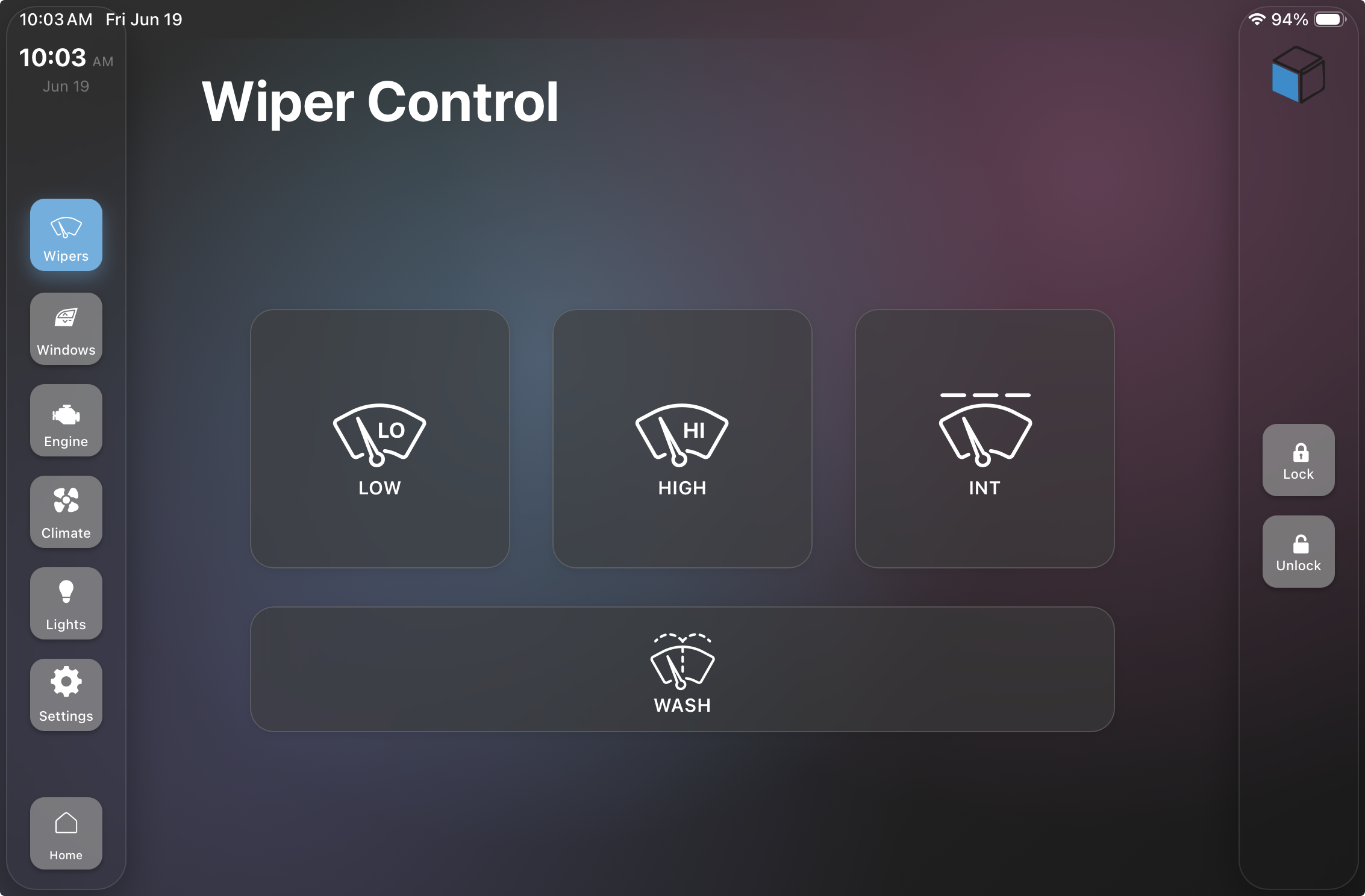
inVIEW wiper control through the inTOUCH screen on inLINK NGX
From this screen you get low, high and intermittent wiper speeds, along with a wide Wash button for the washer pump. Navigation along the side takes you to the rest of your inTOUCH functions, so wiper control lives right alongside everything else in your system — no extra switches required.
Control From the inCONTROL
The inCONTROL gives you another clean, switch-free way to operate inVIEW. Start from the home screen and rotate the ring to highlight the wiper function, then touch the screen to open it.
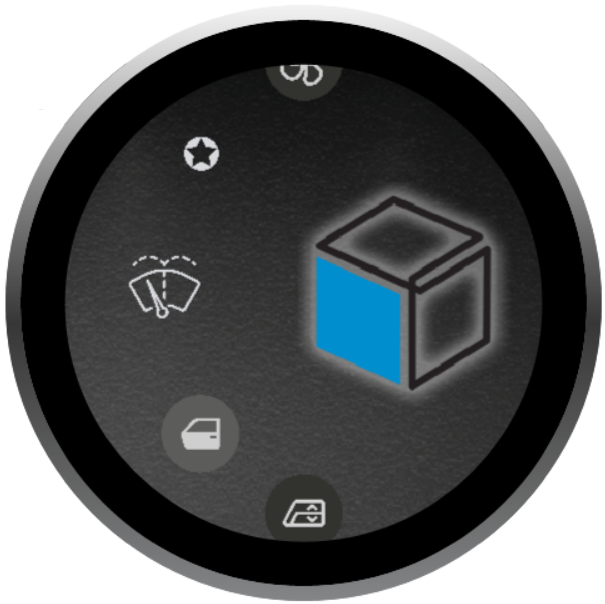
Selecting wiper control on the Infinitybox inCONTROL
That brings you to the inVIEW wiper control screen, where low, high, intermittent and washer are arranged around the display. A yellow arc around each function shows you whether it’s on or off, and touching a function turns it on or off.
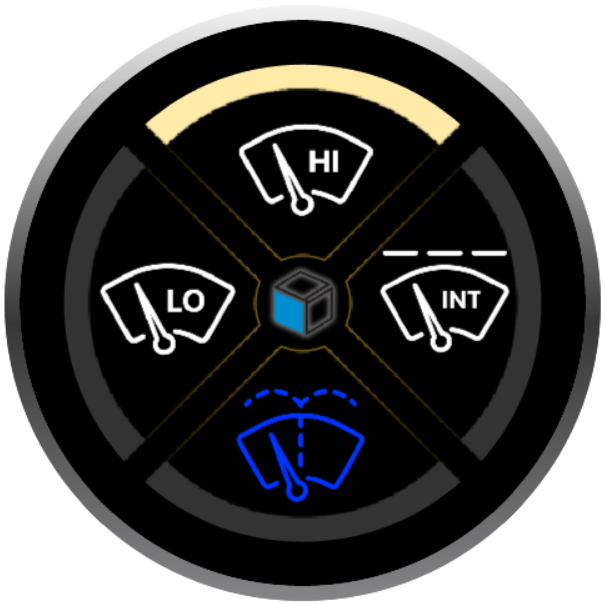
The inVIEW wiper control screen on the Infinitybox inCONTROL
One Module, Your Choice of Controls
However you like to interact with your vehicle — real switches through your MASTERCELL, the inTOUCH screens on inLINK NGX, or the inCONTROL — inVIEW responds to all of them over the Infinitybox CAN network. That’s the advantage of building with Infinitybox: one wiper module, controlled however fits your build.
For the wiring details specific to your wiper motor, see the manual for your version:
