
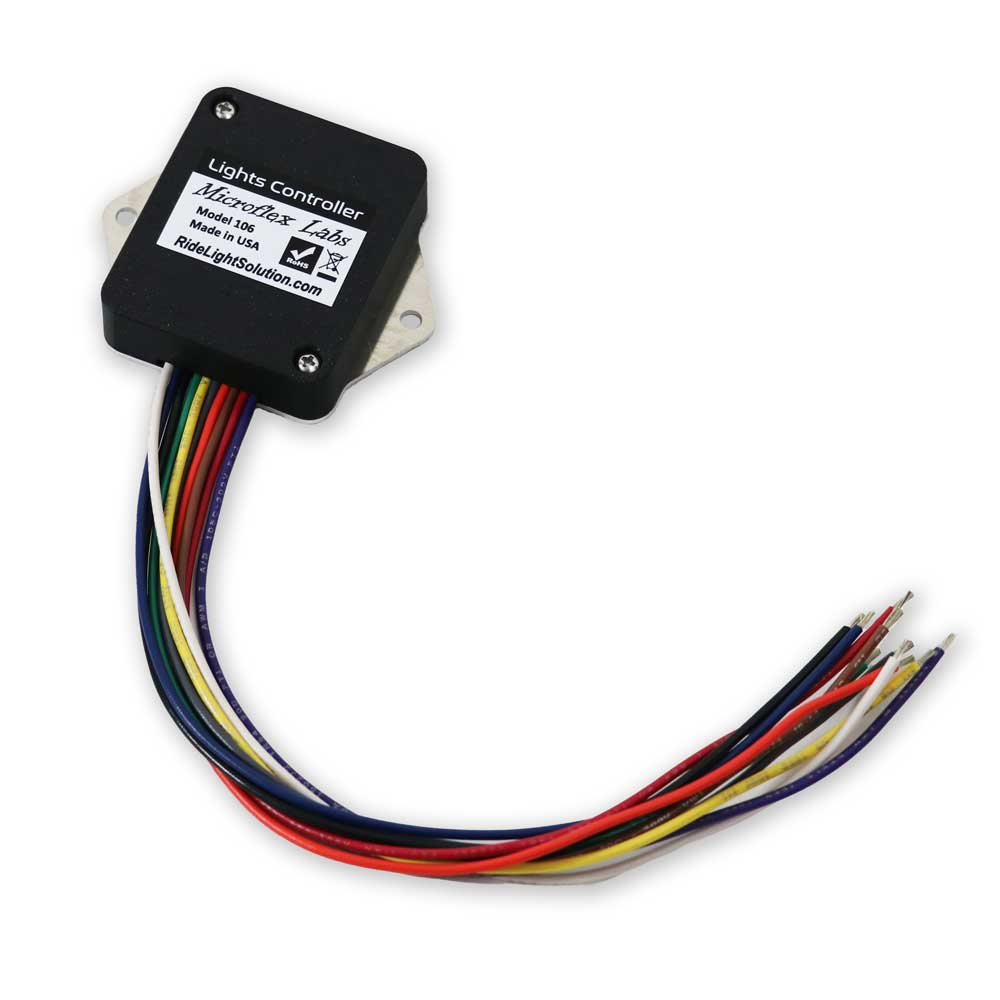
Connecting the Microflex Labs Model 106 Lights Controller to the MASTERCELL NGX
The Microflex Labs Model 106 Vehicle Signal Lights Controller does something most turn signal setups can’t: it cancels your turn signals automatically. Using built-in accelerometers, it senses when the turn is finished, with no steering column linkage and no timers. It also handles hazards and combines brake and turn signals on the rear lights.
If you already own a 106, or you love the way it works, you can keep it in an Infinitybox IPM1 Next Generation system. The 106 stays in charge of the signal logic. The MASTERCELL NGX reads its outputs, and your POWERCELLs drive the lamps.
This article covers Infinitybox Next Generation (NGX) systems. If you have a legacy Infinitybox system, contact us for wiring details.
How the Pieces Fit Together
- The 106 receives your turn buttons, brake switch and hazards switch, and does all the flashing, auto-cancel and brake/turn combining.
- Its four light outputs connect to four high-side switched inputs on the MASTERCELL NGX instead of going to the lamps.
- The MASTERCELL NGX sends that information over the CAN network, and the Front and Rear POWERCELLs power the lamps.
Step 1: Wire the 106 per the Microflex Manual
Install and wire the 106 exactly as described in the manual that came with it. That includes mounting, power and ground, fusing, the turn buttons or switches, the optional brake and hazards switches, and any dash turn indicators. The only difference is where the four light outputs go.
Step 2: Connect the 106 Outputs to the MASTERCELL NGX
Instead of wiring the 106’s light outputs to the lamps, connect them to the MASTERCELL NGX high-side switched inputs:
- Green (Front Left) to HSIN03
- Blue (Front Right) to HSIN04
- White (Rear Right) to HSIN05
- Yellow (Rear Left) to HSIN06
HSIN01 and HSIN02 are dedicated to the cooling fan and fuel pump, so HSIN03 through HSIN06 are the inputs available for this. The high-side switched inputs on the MASTERCELL NGX accept +12V triggers directly, so no additional hardware is needed.
Note on the rear outputs: The Wire Functions table in the Microflex manual lists White as Rear Left and Yellow as Rear Right. The wiring diagram in the same manual shows White going to the Rear Right light and Yellow to the Rear Left light. Our connections follow the wiring diagram, so use the White and Yellow assignments above.
Step 3: Set Up the Inputs in inCODE NGX
Because the 106 does its own flashing, the four inputs need to be set to Track so the MASTERCELL NGX follows the 106 instead of adding a second flash pattern. If you want the hazards to work with the key off, you’ll also set that here. These settings are made in inCODE NGX, and we’ll walk through them in a separate post.
A Note on Wire Colors
The wire colors on the 106 are Microflex’s. Infinitybox wire colors and connector locations vary between kits, so always use the Configuration Sheet that came with your kit for your system’s wire colors, connector locations and input numbers.
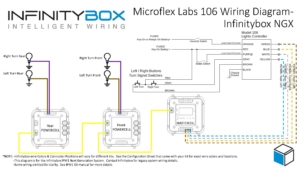
Wiring the Microflex Labs 106 Lights Controller to the MASTERCELL NGX. Click to download the PDF.
Microflex Labs’ manual and the 106 are available from their Model 106 product page.
Questions?
If you have questions about adding a 106 to your Infinitybox system, contact us, email sales@infinitybox.com, or call (847) 232-1991.
 Copyright 2024, Infinitybox, LLC. All Rights Reserved.
  Copyright Infinitybox, LLC 2021. All Rights Reserved.
 Copyright 2026 Infinitybox, LLC. All Rights Reserved.
 Copyright 2026 Infinitybox, LLC. All Rights Reserved.
 Copyright 2026 Infinitybox, LLC. All Rights Reserved.
  Copyright 2026 Infinitybox, LLC. All Rights Reserved.
Leave a Reply
Want to join the discussion?Feel free to contribute!